
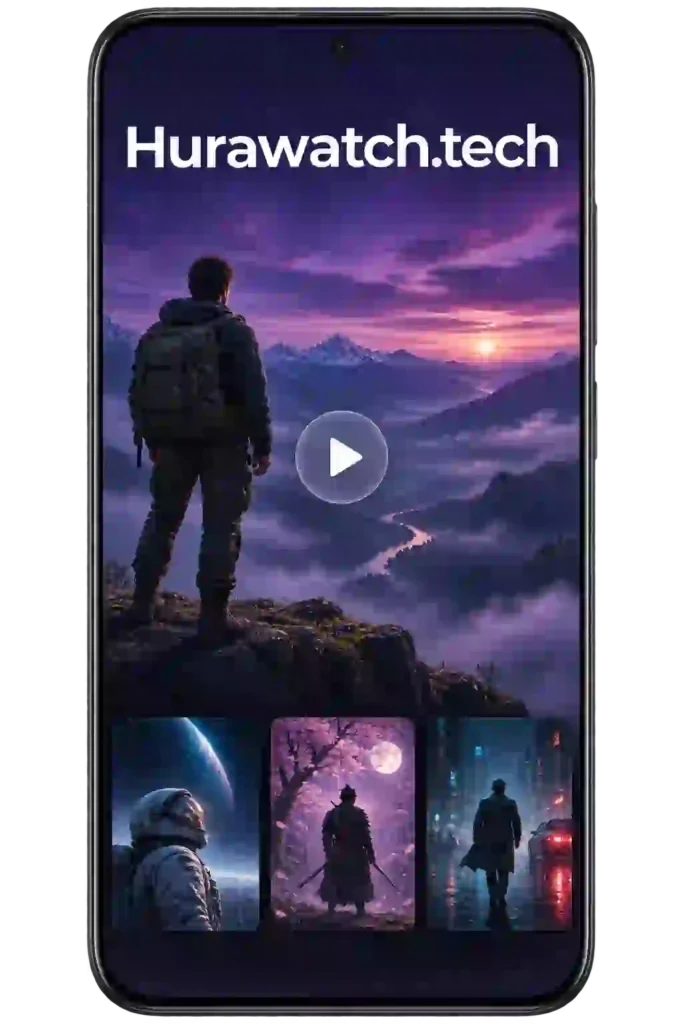
Hurawatch app listed on Google Play is for finding movies and shows. You can browse different genres, watch trailers, look up actors, and save titles for another day. If you already have a movie in mind and want to watch the whole thing, you’ll need to find it on a streaming service that carries it in your country. Checking that first can save you the trouble of installing an app you only needed for one search.
This guide covers what the app offers, how to find it on Android, and what an APK is. It also covers options for watching on a PC and where to look for full films and episodes. If you only have a few minutes, the tables below can help you pick an app or service based on what you want to watch.
What Is HuraWatch?
HuraWatch is a name that has been used by websites offering movies and TV shows. It’s also the name of a movie discovery app listed on Google Play by EddCollectz TCG LLC. When you see a search result for the name, check whether it points to a website, a store listing, or a file download. The result you choose can change what you’re able to do next.
The Google Play description gives a clear picture of the Android app. It lists trailers, movie and TV details, popular titles, upcoming releases, and a way to save favorites. The developer says the app provides information about movies and shows and does not stream the full titles. So if a friend says they found a film “on Hurawatch,” ask whether they found a trailer, read about the movie, or watched it on a different service.
The websites using the name have their own history. The Motion Picture Association identified a domain using the HuraWatch name in a copyright-related filing. That filing concerned a particular domain. A site using the same name today can have a different operator, and its name or logo alone tells you very little about who runs it or what’s available.
A normal search can help clear up the mix. If you’re looking for the Android app, search for its name inside Google Play and compare the listed developer. If you want to watch a particular show, search with its full title and the season number. If you’re trying to remember the name of a film, start with the actor, release year, or a scene you remember.
There’s also a difference between a movie trailer and a movie listing. A trailer gives you a short look at the story or style. A listing gives you facts such as the title, cast, and release date. A streaming service is where you look for a playable copy of the full movie. Once you know which of those three you need, it gets much easier to pick the right result.
How to Install the HuraWatch App
Start in the Google Play Store on your Android phone or tablet. Search for Hurawatch and open the result that shows EddCollectz TCG LLC as the developer. The developer name is worth checking because two apps can have a similar name, icon, or preview image. The details on the listing give you a better idea of which app you’ve opened.
Before you install it, scroll to the app description. It should describe a movie and TV discovery app with trailers, categories, cast details, and saved titles. You can also look at the screenshots for a sense of how the app is laid out. If you’re mainly interested in watching full movies, use that time to search your streaming apps for a title instead.
Next, look at the Install button. If Google Play offers it for your device and you want the discovery features, tap Install. Wait for the download to finish, then tap Open. A good first check is to look for a movie you already know. Seeing a familiar title makes it easier to tell what the app shows and how you might use it later.
A Play Store page can sometimes appear in a web search even when the app isn’t available to you in the store. You can check the listing directly on your device to see what Google Play says about availability. For a trailer or a release date, you can usually finish the task in your browser without installing another app.
You can also read the listing’s Data safety section before downloading. That section shows the developer’s disclosures about how the app handles data. If you want a quick sense of what using the app feels like, recent reviews can add some context. Look for comments about the feature you care about, such as saving titles or playing trailers, since a star rating on its own won’t tell you much about that.
HuraWatch Features
The main reason to open the app is to find something you might want to watch. You can start with popular movies and shows if you’re out of ideas. When you have a mood in mind, choose a genre. Comedy can give you a few options for a relaxed evening. Drama can help narrow the list when you want a longer story with more time to get to know the characters.
Trailers make it easier to decide between similar options. Say two films have short descriptions that both sound good. Watching their trailers can tell you which one has the pace or tone you’re in the mood for. There’s no need to sit through trailers for ten movies. Pick two or three that look interesting and you’ll usually have enough to make a choice.
Cast information can save a search of its own. You might remember an actor from a series but have trouble remembering the title. A title’s cast list lets you check whether you’ve found the right one. The release year also helps when a film has a remake or when two unrelated movies use the same name.
The app’s Play Store listing describes a way to save favorite movies and series. You can use it to keep a shortlist. For example, save one film for yourself, one comedy for the weekend, and a series you’ve been meaning to try. The next time you open the app, you’ll have a few ideas ready. Saving a title gives you a reminder to come back to it. To see whether you can watch it that evening, check your streaming service separately.
Upcoming releases are handy when you’ve heard about a movie that’s still on the way. You can look up the listed release date and see if there’s a trailer. If you’re planning to watch on a certain weekend, check the date again closer to the time. A movie can open in cinemas before it reaches a streaming service, and streaming dates can vary by country.
Ratings can help with a first look. They’re most useful when you also know the genre and have seen a trailer or read a brief description. A great score for a slow drama won’t help much if everyone in the room wants a quick comedy. The best choice depends on what you and the people watching with you are in the mood for.
Key Features
Here’s what the Google Play listing says you can do and when each feature can help.
| Feature | What you can see or do | When it helps |
| Popular movies | Browse films getting attention | You want a few ideas for movie night |
| Popular TV shows | Look through series people are watching or talking about | You want a new show to start |
| Trailers | Watch previews of films and shows | You want to get a feel for the story before choosing |
| Genre categories | Browse action, comedy, drama, horror, and more | You know the type of story you’re in the mood for |
| Cast information | See which actors appear in a title | You remember an actor and want to check the film |
| Release dates | Check when a movie or show came out or is due | Two titles share a name, or you’re following a new release |
| Ratings | See the rating shown with a movie or series | You’re deciding which of several titles to look at first |
| Favorites | Save movies and series for later | You want to keep track of a few picks |
One way to use these features together is to pick a genre, open a few titles, and watch the trailers that catch your eye. Save anything you want to come back to. That takes a few minutes and gives you a shortlist you can use later. You can do the same with TV shows by picking two series and seeing which one has a first episode you’d like to try.
Another way is to start with a title someone mentioned. Check the year and cast first, then watch the trailer once you’ve found the right result. If you plan to stream it that night, look it up separately on the service you already use. That last step is worth doing before you ask everyone to come over to watch it.
For a new release, the trailer and date are usually the most helpful details. You can get a sense of the film and see when it’s expected. Keep the difference between a general release date and the date on your local streaming service in mind when you make plans.
Why Do We Choose HuraWatch?
Hurawatch makes sense when you’re still deciding what to watch. If you’ve already spent ten minutes scrolling through the same streaming homepage, starting with a genre or trailer can help. You might find that a film you’d passed over looks better once you see a clip, or that an old favorite has an actor who’s in another movie you’ve never tried.
It’s also handy when recommendations come from all over the place. A friend mentions a film at lunch. Someone sends you a clip from a series later in the day. By the time the weekend comes, you might recall only one of those names. Saving a title as you hear about it makes it easier to find again.
For a family movie night, you might start with something everyone can agree on, like an adventure or a comedy. Open two trailers, check the age rating through the streaming service you plan to use, and choose one that’s available. You can also check the runtime on the streaming listing. A two-and-a-half-hour film can be a great pick on a weekend and a difficult one to finish on a school night.
The app can be helpful for people who enjoy following upcoming films as well. You can look up a release you heard about and check who’s in it. If the trailer looks promising, save the title. When a date changes or a film releases in different places at different times, you can check the latest information from the studio or your local cinema.
If you open the app with a particular title in mind, you may only need it for a quick cast check or trailer. If your only goal is to start the movie right away, open your streaming service and search there. Both routes start with a movie name, but they save time in different situations.
Movies and TV Shows in HuraWatch
The Google Play app lets you explore information about movies and TV shows. That can include the cast, release date, rating, and trailers when they’re available. You can look through popular listings to see what catches your eye, browse a category you enjoy, or look for a release you’ve heard about. The developer describes these as discovery features.
For movies, the release year is one of the simplest things to check. If there’s a remake, the older and newer versions might share a name. The year and lead actors can tell you which one your friend recommended. If you’re planning a movie night around a classic, knowing the year also helps you search for the correct version on a streaming service.
TV shows take an extra step because a single title can cover several seasons. Search for the series first, then check the season or episode on the service where you plan to watch it. A service may list a show while carrying only some of its seasons. If you’re halfway through a series, check for the next episode before making plans to continue it.
A trailer can tell you more about a film’s tone than a poster. A poster might make a film look serious, for instance, while the trailer shows there’s plenty of comedy. If you prefer to avoid story details, watch a short official teaser or decide based on the cast and a brief description. That can be enough to make a choice.
Language and captions matter when several people are watching together. If someone needs subtitles or prefers a dubbed version, look for those options on the actual streaming service. A movie detail page can tell you about the title, while the streaming player is where you can check the audio and subtitle choices that come with that version.
Once you’ve picked something, type the title into the search bar of a streaming service you use. Add the year if the name is common. Other details worth checking include whether the title costs extra, whether it’s a trailer or a full episode, and whether it’s available in your country. Those quick checks can save more time than browsing another page of recommendations.
HuraWatch App
HuraWatch app as a place to collect a few movie ideas. If a friend asks what you want to watch, it’s easier to open a short list than to start from scratch. A favorite can be an old film you want to see again, a new show you heard about, or something you’re saving for a particular weekend.
The Google Play page says the app contains ads. How much that matters depends on how you use it. You might only open it long enough to check a cast member and leave. If you like to browse for a while, you may care more about how often an ad interrupts that. Recent store reviews can give you a sense of what other users noticed.
The store page is also where you can check for updates. If the app you’re using comes from Google Play, return to its listing to see whether an update is available. If two pages claim different version numbers, look at the listing for the app you actually installed. That gives you information about the version connected to your device and the listed developer.
If you mainly want to look up a film every once in a while, a browser may do everything you need. Search the title and year, then look for a trailer from the studio or distributor. The app becomes more useful when you want to keep your movie ideas together and come back to them over several days.
HuraWatch App on Android
You can look for the app on an Android phone or tablet. Start with Google Play because you can check the developer and read what the app does before downloading anything. If you see several similar results, look for the one by EddCollectz TCG LLC. Check the description and images in the listing as well.
A tablet can be handy if two people are deciding what to watch together. It’s easier to share the screen and look through a few trailers. If you’re using your phone on the way home, you may only want to save the names as you find them. You can look up the trailers later when you have time or a better connection.
If the install gets stuck, check whether other apps can connect to the internet. Make sure your phone has some free space, then go back to the store listing and see whether the download is still pending. If Google Play says the app is unavailable for your setup, you can still use a browser to look up the cast, release date, or trailer.
You might also see an icon that looks like an app but opens a website in Chrome. Android lets you create a shortcut to a webpage on your home screen. If the icon opens a browser tab, you’re using a shortcut to that page. The Google Play app has its own listing and install process. That difference can explain why two people tap what seems like the same icon and see different things.
For full movies on Android, search in the streaming app you plan to use. If you want to watch during a trip, check whether that service offers offline downloads for the title. These downloads are usually available through the service’s own app, and whether a title can be downloaded depends on the service and your access to it.
HuraWatch App on PC
On a PC, you can find trailers, cast lists, and streaming options through your browser. The Android package format is made for Android. A page offering a file for Windows under the same name is a separate download. Check who publishes it and what it’s supposed to do before opening anything.
If you’re trying to find a particular movie, search for its name and release year. That can bring up the official trailer and information about the cast. For playback, open the website of a streaming provider you use and search its catalog. On a shared computer, you can often finish the trailer search without signing into anything.
Maybe you heard about a show and want to know whether you can watch the latest episode. Search for the exact title, followed by the season and episode numbers. Then check the streaming service for that episode. Some sites show a page about the series even when the season you want is unavailable. Going straight to the episode list can save you a few clicks.
You may find the Hurawatch Google Play listing while browsing on a laptop. That’s a way to read the app’s description and see who published it. Even if Google Play offers to install an app from your browser, the target is an eligible Android device. For a film or episode on your PC, continue with a service that offers playback in your browser.
A browser bookmark can help if you regularly check a particular streaming provider or studio channel. Give the bookmark a name you’ll recognize and use it the next time you want to check a release or return to a trailer.
HuraWatch APK
An APK is a file used to install an app on Android. When you install an app from Google Play, the store handles the download and setup for you. A page offering a file called HuraWatch APK is asking you to download a package separately. Anybody can name a file, so a familiar name in a download button is only a label.
Some APK pages use words like “official” or “latest” to catch your attention. Check whether the publisher is easy to identify and whether it matches the app you intended to get. If you already found the discovery app in Google Play, there’s little reason to get another file with the same name for the same task. The store listing gives you a place to check the developer, read the description, and see whether your device can install it.
Google Play Protect checks apps for potentially harmful behavior. It can also check apps from sources outside Google Play. If it warns you about a download, read the message and leave the protection turned on. You can look for the same trailer or title details through a browser if that’s all you needed. Giving an unfamiliar file permission to install is a big step for something you may be able to look up in a minute.
A film download and an app download are two different things. If you tap a button that claims to download a movie and your phone starts saving a file ending in .apk, it has downloaded an Android app package. For offline viewing, look for the download option inside the app of the service that offers the movie. The available options can vary with your device, location, plan, and the title.
There’s no single version number to give for every file advertised under the name HuraWatch. The app you can check is the one listed in Google Play by the developer named in this guide. If an update is available to you there, the store will show it. If you see a different version advertised elsewhere, the number on its own won’t tell you who made it.
Installing Steps
Use these steps if you want the Google Play app for browsing movies, shows, and trailers.
- Open Google Play. Use the store app on the Android device where you want to install it.
- Search for Hurawatch. Open the result that matches the app name and look for the developer under it.
- Check the developer. The listing covered here names EddCollectz TCG LLC.
- Read the description. It should talk about discovering movies and TV shows, watching trailers, and finding title details.
- Tap Install. If Google Play offers the button for your device, select it and wait for the setup to finish.
- Tap Open. Browse a genre or look for a release you’ve heard of. Try a trailer or save a movie for later.
If the store shows more than one similar name, take a moment to make sure you opened the result you wanted. Compare the description to what you want from the app. A page with only a file button gives you less context than a store listing with a developer name and description.
After installation, you can start by looking up a title you already know. Check whether the cast and year match the movie you’re thinking of. If it has a trailer, try playing it. That’s a simple way to see whether you’ll use the app. If you find yourself only opening it for one title at a time, a browser search might be just as quick.
Alternatives
The best alternative depends on what you want to do. A free streaming catalog is handy when you’re open to anything. A streaming guide helps when you already know the name of the movie. A studio channel is enough if all you want is the trailer.
| Option | Good for | Cost or access | What to check |
| Plex | Watching free movies and shows | Free streaming with ads | The catalog in your country |
| Tubi | Browsing free films and TV series | Free with ads in supported markets | Whether Tubi serves your location |
| JustWatch | Finding which service carries a title | Streaming guide | Your region and the price on the provider’s site |
| Official studio channels on YouTube | Watching trailers and teasers | Trailers are usually free to view | The uploader and the video description |
| Your current streaming service | Watching a movie or episode with your existing access | Depends on your service and plan | Whether it carries the title, season, or language you need |
Plex is worth a look when you haven’t settled on a title. Browse its free section, pick a genre, and see which movies or shows are available where you live. The free catalog has ads. If you’re looking for a particular film, check its listing first so you can tell whether it’s available to stream for free in your region.
Tubi also offers free streaming with ads where it operates. It’s quick to try when you want to pick a film from what’s available. If you already know what you want to watch, search the title before you spend time browsing. That will help you see whether it’s part of the local catalog.
JustWatch is useful when you know the exact movie or show but have no idea which service offers it. Choose your country, then search the name and year if you know them. Check whether a result is included with a subscription, available to rent, or offered for purchase. Open the provider’s page to confirm what’s available before paying or signing up.
YouTube works well for a quick preview. Try the movie title followed by “official trailer,” then check who uploaded it. A studio or distributor channel is a good place to start. Some films have more than one trailer. If you want to see as little of the plot as possible, look for the teaser first.
A streaming service you already use is often the quickest place to check. Search there before adding an app or signing up elsewhere. For TV shows, confirm that the season you want is included. For movies, check audio, captions, and any rental price when those details matter to you.

Pros and Cons
A discovery app is easiest to judge by what you’d use it for. Here are the parts that may save you time and the limits you may run into.
| Pros | Cons |
| You can browse movies by genre when you need ideas | The Google Play app describes discovery features and trailers only |
| Cast details and release years help identify a title | You still need to check where the full movie or show is available |
| Favorites give you a place to collect your picks | A saved title may be unavailable in your local streaming catalog |
| The Google Play listing shows the developer and app description | Similar names in search results can make downloads confusing |
| Trailers can help you choose between two films | The app contains ads |
The main benefit is having several bits of information in one place. You can check the year, see who’s in the film, and decide whether to watch the trailer. For someone who likes keeping a running list of movies, having favorites alongside those details can be convenient.
The biggest limit becomes clear when you want to play the full title. You’ll still have to open a streaming service or use a guide to see where it’s available. If that’s the only thing you needed, go straight to that service or guide. You can always use the discovery app another time when you’re looking for ideas.
FAQs
Conclusion
Hurawatch can help when you want ideas for movie night or need a quick look at a trailer. The Google Play app gives you a way to browse genres, check the cast and year, and keep a list of films and shows that caught your eye.
If you want those features on Android, look for the store listing by EddCollectz TCG LLC. On a PC, a browser gets you to trailers and streaming services. Once you’ve picked something, search for the full title and year on a service that carries it in your country. That’s the step that gets you from a good recommendation to something you can actually watch.